






If you want your business to appear on Google search and maps, then Google Business Profile is one of the most important tools you need. Earlier known as Google My Business, this free tool helps you show your business online and connect with customers easily. Whether you run a small shop, a service business, or a startup, having a Google Profile can help people find you when they search on Google. In this guide, we will understand what it is, how it works, and why it is important in a simple way that anyone can understand.
What Is Google Profile?
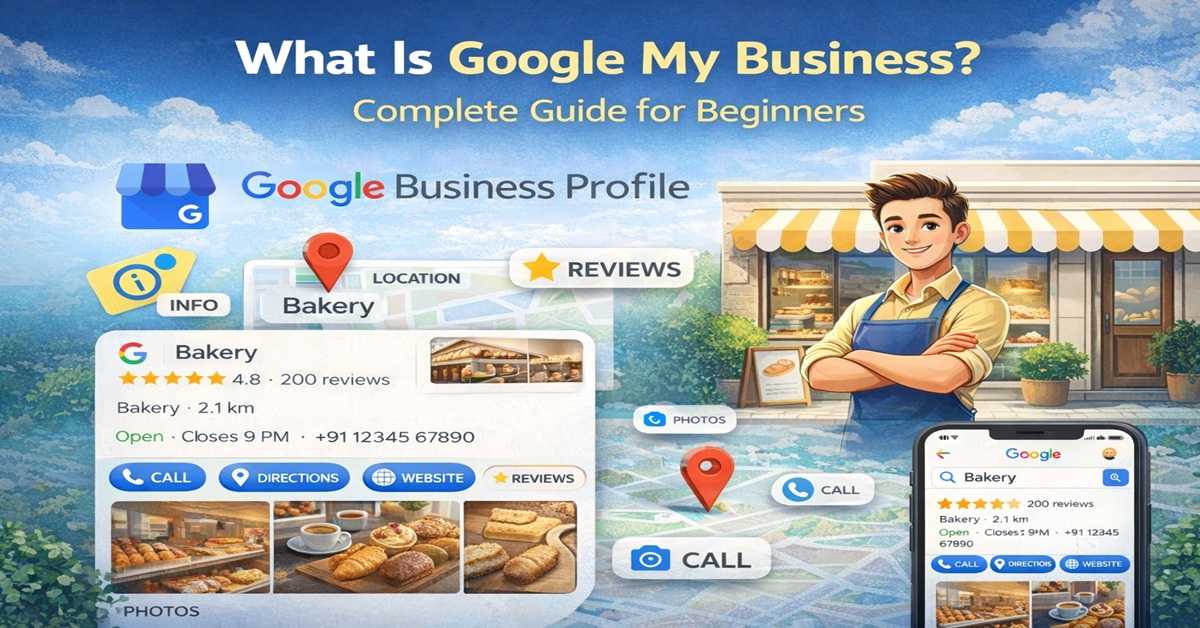
Google Business Profile is a free tool by Google that allows businesses to manage their online presence. It helps your business appear in:
- Google Search
- Google Maps
Simple Example
When you search for “restaurants near me” on Google, you see a list of businesses with ratings, reviews, and location. That is powered by Google Business Profile.
Why Google Profile Is Important
Having a Google Profile is important because it helps your business get visibility online.
1. Helps Customers Find You
When people search for services in your area, your business can appear in search results and maps.
2. Builds Trust
Reviews, ratings, and photos make your business look more reliable.
3. Increases Local Visibility
If you want local customers, Google Profile is one of the best tools.
4. Free Marketing Tool
You don’t need to spend money to create and manage your profile.
How Profile Works
Google collects information about your business and shows it to users searching for related services.
Information You Can Add
- Business name
- Address
- Phone number
- Working hours
- Website
- Photos
When people search, Google shows your profile based on relevance and location.
How to Create Google Profile (Step-by-Step)
Creating a Google Business Profile is simple.
Step 1: Go to Google Profile
Visit the official Google Profile website.
Step 2: Add Your Business Name
Enter your business name and category.
Step 3: Add Location
Enter your address so customers can find you.
Step 4: Add Contact Details
Include your phone number and website.
Step 5: Verify Your Business
Google will verify your business through OTP, email, or postcard.
After verification, your profile will be live.
Key Features of Google Profile
1. Reviews and Ratings
Customers can leave reviews about your business. Positive reviews help attract more customers.
2. Photos and Videos
You can upload images of your products or services.
3. Posts and Updates
You can share offers, updates, and news.
4. Insights
Google shows data like how many people viewed your profile or called your business.
Benefits of Using Google Profile
More Customers
Your business becomes visible to people searching online.
Better Local SEO
Google Profile helps your business rank in local search results.
Easy Communication
Customers can call, message, or visit your website directly.
Business Growth
More visibility leads to more inquiries and sales.
Tips to Optimize Your Google Profile
To get better results, you need to optimize your profile properly.
Keep Information Updated
Always update your business details.
Add Quality Images
Good images attract more customers.
Get Reviews
Ask happy customers to leave reviews.
Use Keywords Naturally
Mention your services clearly in the description.
Common Mistakes to Avoi
- Incomplete business profile
- Wrong contact details
- Ignoring customer reviews
- Not updating business hours
Avoiding these mistakes helps you get better results.
A Google Business Profile is one of the easiest and most powerful ways to grow your business online. It helps people find your business, builds trust, and improves your local presence. Even if you are a beginner, setting up your profile is simple and free. By using it properly, you can attract more customers and grow your business step by step.